

ChatGPT review
 Analysis by GetAllApps
I found ChatGPT most compelling when I stopped treating it as a novelty and gave it ordinary work: untangling a long email, planning a meal from what I already had, or turning rough notes into a clear outline. Its appeal is immediate, but the more useful question is whether it keeps earning a place on your phone after the first burst of curiosity. For me, it can, provided I treat its answers as a starting point rather than an authority.
From first-week curiosity to a useful routine
ChatGPT is a free productivity app from OpenAI, rated for Teen users. It gives you a conversational way to ask for writing help, explanations, searches, image generation, and other assistance. The central interaction is simple: describe what you need, read the response, then refine it in the same conversation. That back-and-forth is what makes it feel different from a conventional search box or a notes app.
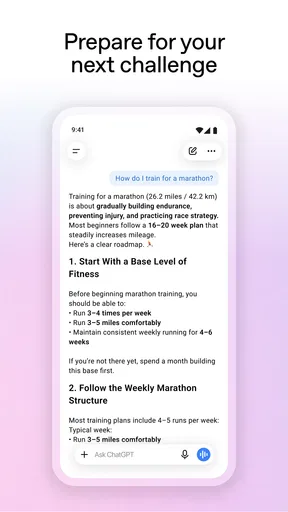
In the first few days, it is tempting to try everything at once. I get more lasting value by choosing a few repeatable tasks instead. Ask it to make a dense paragraph easier to understand, suggest a polite but direct reply to a message, or create a checklist from a set of errands. Those jobs show its practical strength: it can turn an unstructured request into something easier to act on without requiring you to learn a complicated workflow.
A realistic example is preparing for a busy morning. I might paste in a list of things I need to do, explain that I have limited time, and ask for a sensible order. The answer is useful as a draft plan, not a promise that every task will fit. I can then point out a constraint or ask it to shorten the list. This conversational correction is more convenient than starting a new search every time my needs change.
For writing, it is especially handy before the final draft. I use it to surface possible structures, adjust the tone of a message, or identify where an explanation becomes confusing. It is less satisfying when I ask it to produce a finished piece and accept the result untouched: the wording can sound too smooth or generic, and important details still need my attention. It works best as a thinking partner, not as a substitute for your own judgement.
The first-week experience can also create unrealistic expectations. A confident answer is not necessarily a correct one, and a fluent explanation can hide a misunderstanding of the question. I have learned to give it context, ask for a narrower answer when needed, and verify anything consequential. That small habit is more valuable than trying to write a supposedly perfect prompt every time.
Why the conversation format matters
Unlike a basic search engine, ChatGPT can keep track of the immediate thread and respond to follow-up instructions. That makes it useful when the problem is not simply finding a page, but deciding what to do with information. You can ask for a plain-language explanation, then request an example, then ask which part is uncertain. Search remains better when you need to inspect original sources or confirm a current fact directly.
Compared with a dedicated writing app, it is more flexible but less focused. A word processor is still the better place to maintain a polished document, manage formatting, or keep a reliable final copy. I use the assistant to get unstuck or revise a passage, then move the result into the tool where I actually store and finish the work.
What keeps it useful month after month
At this point, ChatGPT has an average rating of 4.8 from around 66 million ratings, and it has passed one billion installs. Those figures show how widely people have adopted it, but they do not tell me whether it will suit a particular person. Recurring value comes down to whether its conversational help fits tasks you genuinely repeat, rather than whether it can produce an impressive one-off answer.
One useful workflow is to bring a messy problem in stages. For example, when planning a small household project, I can first list the tasks, ask for a practical sequence, and then request a short checklist that separates what I can do now from what depends on something else. The advantage is not that the app knows my home; it is that I can correct assumptions as they appear. Keeping the request grounded in details I provide makes the result more relevant.
A second, less obvious use is turning reading into questions. After reviewing a complicated explanation, I can ask ChatGPT to identify the main claims, explain a term in simpler language, or suggest questions I should investigate before making a decision. This is helpful for learning because it exposes gaps in my understanding. It is not a replacement for the original material, particularly when the subject is technical, legal, medical, or otherwise consequential.
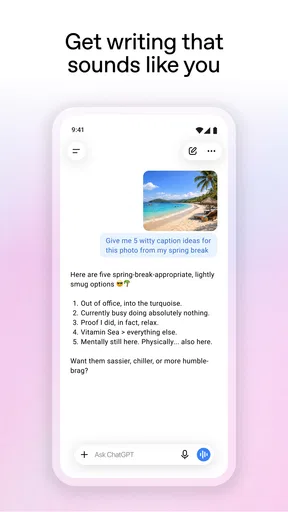
For recurring writing tasks, I get better results by specifying the audience and purpose rather than asking only for “better wording.” A note to a colleague, a message to a service provider, and a short explanation for a family member need different levels of detail. If the first attempt misses the tone, I can say what feels wrong and request a revision. That is often quicker than editing a blank page, though I still check that the final version sounds like me.
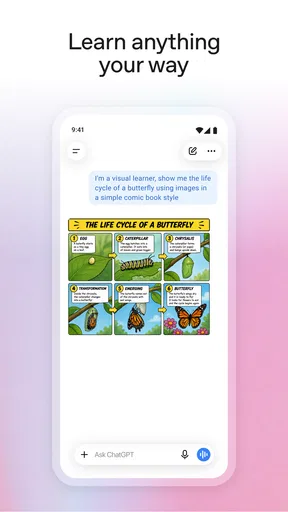
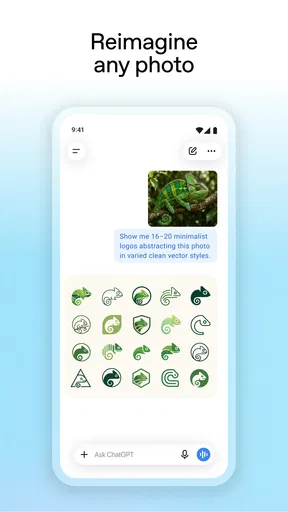
Image generation can broaden what the app is useful for, but I would not make it the reason to keep the app installed unless visual creation is part of my regular routine. It is another kind of request to explore, not a guarantee that every result will match a precise brief. For a one-off image with exact requirements, a purpose-built design tool may give more direct control. ChatGPT makes more sense when image creation sits alongside questions, drafting, and idea development.
The version listed now is 1.2026.293, and the app has been available since July 21, 2023. Its price is free, with in-app purchases ranging from $8 to $500 per item. I would start with the free option and see whether the assistant fits a real routine before considering a purchase. The range is broad enough that it is sensible to check the current in-app terms carefully rather than assume every feature or level of access is included at no cost.
Keeping the app useful without adding chores
ChatGPT does not need much day-to-day maintenance: there is no elaborate system to configure before asking a question. The real upkeep is mental. I have to supply enough context, notice when an answer is vague, and check the claims that matter. If I rely on it to remember a task instead of putting that task in a calendar or list, I have chosen the wrong tool. A conversational assistant can help organize a plan, but it should not quietly become the only place where important commitments live.
I also find it useful to decide what belongs in a chat before typing. A draft email or a general planning question is different from highly sensitive personal information. I avoid sharing details that are not needed to get the help I want. This is a practical boundary for using any conversational service, and it makes prompts clearer as well: provide the relevant context, not every background detail.
On Android, the listed minimum operating-system requirement is 7.1. That makes the app accessible to a broad range of devices that meet that requirement, though the experience still depends on having a phone that can run it comfortably. If you mainly want a place to save documents, manage deadlines, or keep information in a fixed structure, a dedicated notes, calendar, or task app will be easier to maintain and more dependable for that purpose.
There is also a small habit cost in deciding when to use it. If every simple question becomes a conversation, the extra step can be slower than using a calculator, opening a saved note, or asking a search engine for a direct source. I get the most from ChatGPT when I have a task that benefits from explanation, transformation, or iteration. For quick facts I intend to act on, I still prefer to check a source that I can inspect.
Where the novelty wears off
The first source of fatigue is repetition. If I ask broad questions without explaining what I need, the answers can feel polished but interchangeable. I can improve them with constraints, examples, and a clear audience, but that takes attention. When a task is routine enough that a template or saved checklist already does it well, opening a chat may add friction rather than remove it.
The second is verification. The app can help me understand an unfamiliar topic, but I do not treat its response as proof. If the result affects a health choice, a financial decision, a deadline, or someone else’s work, I check reliable material independently. That extra step can reduce the apparent time saved. For research that depends on traceable sources, a search service or specialist reference tool is often a better first stop.
There is also a risk of letting the assistant flatten personal voice. When it rewrites a message, I look for phrases that feel unlike me and replace them. If I am writing something personal or sensitive, a quick outline may be more useful than asking it to compose the whole message. That keeps the emotional judgement with me while still taking advantage of help with structure.
Finally, broad capability is not the same as depth in every task. ChatGPT can switch between brainstorming, explanations, and drafting, but that flexibility does not make it the best dedicated tool for every job. A spreadsheet is better for maintaining calculations, a calendar is better for appointments, and a professional editor offers more precise control over a long document. I see this app as an adaptable companion to those tools, not a reason to abandon them.
Who should keep it installed
I would recommend ChatGPT to people who regularly need a first draft, a simpler explanation, a list of options, or help turning a vague idea into a workable next step. It is particularly useful if you are comfortable asking follow-up questions and checking the response instead of expecting one prompt to settle everything. The app’s Teen content rating is worth keeping in mind for families deciding whether it is appropriate for a younger user, and adults should still guide how it is used for schoolwork or sensitive topics.
I would skip it, or at least keep it secondary, if your main need is dependable storage, exact calculations, documented research, or a system that automatically tracks commitments. It may also disappoint anyone who wants every answer to be authoritative without review. The conversational format rewards active participation; if you do not want to refine questions or inspect results, a focused reference app may suit you better.
My long-term verdict is positive but conditional. ChatGPT earns lasting space when I use it to reduce friction in work I already do, not when I keep opening it just to see what it can do. OpenAI has made a remarkably approachable productivity app, and its flexibility gives it more staying power than a single-purpose novelty. I still keep my own notes, sources, and decisions outside the conversation. Used with that boundary, it is a practical assistant; used as an unquestioned answer machine, it becomes less helpful than it first appears.
Pros and cons
Pros
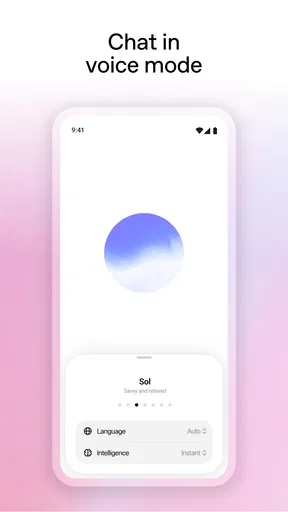
- Voice conversations offer a hands-free way to ask questions.
- Custom instructions help tailor responses to your preferences.
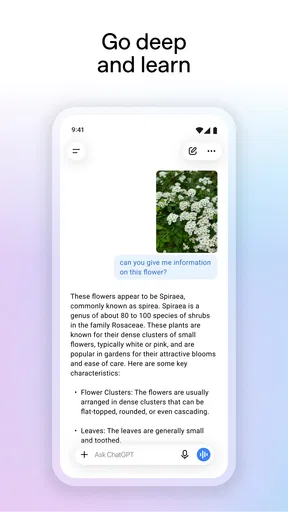
- Image input lets you ask questions about photos and screenshots.
- Chat history makes it easy to revisit earlier conversations.
- The app syncs conversations across supported devices.
Cons
- Some advanced features require a paid subscription.
- Answers can sound confident even when they are inaccurate.
- Useful features may vary by region or account.
- The app requires an internet connection for most tasks.
- Sharing sensitive information may raise privacy concerns.


